RaceChrono Pro
RaceChronoSports
4.668.00 Reviews
- Version
- Varies With Device
- Installs
- 10.00K
- Age Rating
- Everyone
Screenshots
Our Review of RaceChrono Pro
 Analysis by Appyee
I think RaceChrono Pro makes the most sense when you want more than a quick glance at a lap time. It is a paid motorsports app from RaceChrono, aimed at drivers and riders who want to record sessions and make sense of them afterward. I’d consider it for track days, karting, or focused practice, rather than as an everyday navigation app. The important question is whether you’ll use the timing and analysis enough to justify a dedicated tool.
What to expect from its speed
On track, the useful kind of speed is not just how quickly an app opens; it is how readily you can get from a session to information you can act on. RaceChrono Pro brings lap timing and session analysis together, so you can review performance on your phone instead of relying only on memory or a basic stopwatch. That is a meaningful step up when you are trying to understand where a lap changed, not merely whether it was faster.
I would still treat timing as something to set up and check before a session, not something to troubleshoot while moving. Choose the circuit and prepare the app while parked, then give yourself a moment to confirm that the session is ready. A dedicated external GPS receiver can be useful if you are seeking more precise data, but it also means another piece of equipment to configure and keep charged. For a casual outing, the added setup may not be worth the effort.
Where heavy use pays off
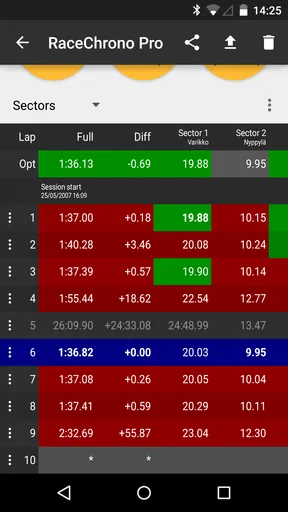
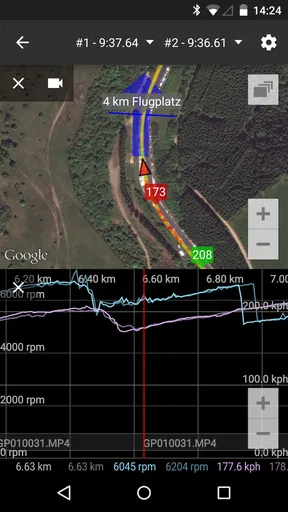
The app earns its keep when you collect several laps and compare them with a specific question in mind. Are you carrying more speed through a section, or simply braking later? A recorded session gives you material to review rather than leaving you with a vague impression after you pull into the paddock. Speed, acceleration, and g-force information can help put those impressions in context, though the numbers are most helpful when you already know what you want to learn.
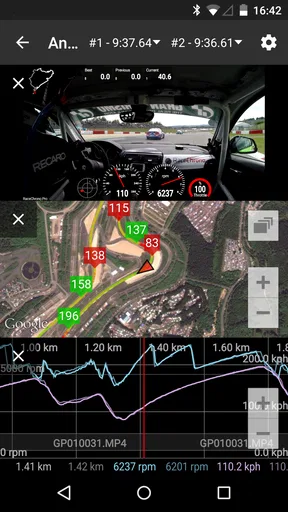
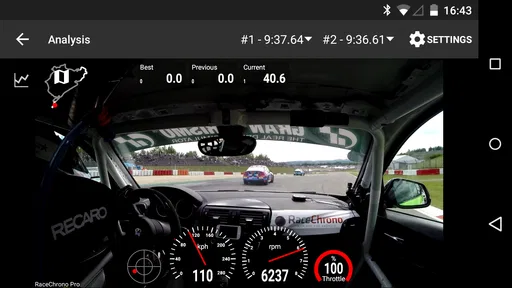
Video overlay is another practical option for a busy track day. If you record footage, pairing it with lap information can make a replay easier to interpret: you can connect what you see on screen with what the session data suggests. I would use it selectively. Reviewing one useful lap or a particular section is more manageable than trying to study every bit of footage after a long day.
A realistic routine might be to arrive, prepare the session before heading out, and then review a single comparison during a break. If one lap feels cleaner but the time is slower, the data may prompt you to look at a corner differently rather than simply pushing harder. That is a better use of analysis than chasing a number without considering consistency or control. Keep the phone out of your attention while driving; the benefit comes from preparation and review, not interaction on track.
Reliability depends on preparation
For a timing app, confidence in the session matters as much as the amount of information it can show. I would make a short test run part of the first visit to a circuit, particularly if I had changed devices or added an external receiver. That gives you a chance to check the setup before you rely on it for a full day. It is a small precaution, but it is better than discovering a configuration problem after the session you wanted to compare.
After a session, save and review your work when you are stationary. If a result looks surprising, check the setup and the conditions before deciding that your driving changed dramatically. Lap data is evidence to interpret, not an automatic explanation of what happened. Track layout, traffic, and how consistently you drove all affect what a comparison can tell you.
The app has an average rating of 4.6 from around 983 ratings, and it has been available since May 19, 2014. Those figures suggest an established product, but they are not a promise that every device or track-day workflow will feel effortless. I would judge reliability by a properly prepared test on my own equipment and by whether the resulting session is useful to review.
Device limits and practical trade-offs
Phone choice matters because the app is doing more than displaying a stopwatch: recording and reviewing session data, and working with video, can make a track-day setup more demanding than a simple timer. I would start with enough free storage for the kind of sessions I plan to keep, and avoid filling the phone with unnecessary footage. If video is part of your workflow, check the available space before leaving home rather than discovering the limit at the circuit.
External GPS support is a worthwhile option for someone who cares about finer timing detail, but it is not a magic fix for every problem. It adds hardware and a setup step, and the improvement is most valuable to a driver or rider who will actually compare sessions closely. If you mainly want an informal record of a fun outing, a simpler timing method may be easier to live with.
There is also a learning curve hidden behind the promise of detailed analysis. More data can clarify a pattern, but it can just as easily distract you if you do not have a question to investigate. I recommend choosing one measure or one section to focus on after each outing. That keeps the review manageable and makes it less tempting to treat every small difference as a meaningful change in performance.
The app is rated for Everyone, but its purpose is quite specific: it is for motorsports sessions, not general fitness tracking or ordinary road navigation. It has 10K+ installs, and the purchase price is $18.99, with in-app purchases ranging from $0.99 to $11.99 per item. I would look at the cost in relation to how often I attend events and whether I will use the analysis features. Someone going to one casual karting session may be happier with a basic timer; a regular track-day participant has a stronger reason to pay for a dedicated tool.
Unleashing the Power of RaceChrono Pro
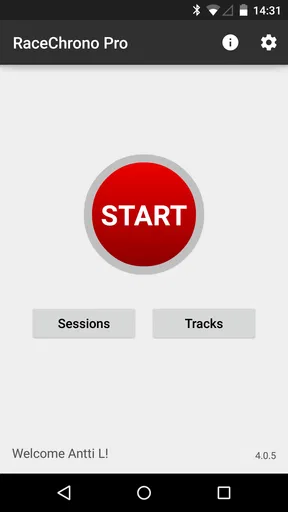
First off, let's dive into the setup. Getting RaceChrono Pro up and running is a breeze. After a quick download and installation, you’re welcomed with an interface that’s as smooth as a freshly paved racetrack. The app’s design is intuitive, making it easy to navigate through the myriad of features it offers.
Key Features to Love
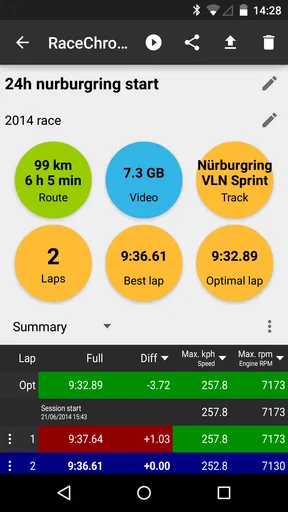
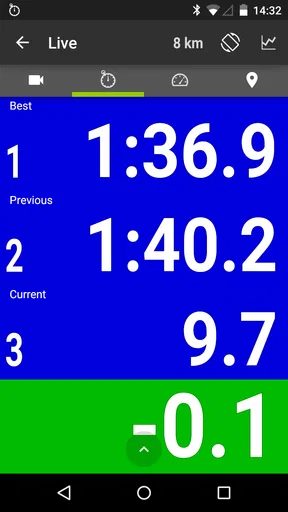
One of the standout features is the lap timing. Whether you’re on a car, bike, or go-kart, this app has got you covered. The ability to record lap times with precision is essential, and RaceChrono Pro delivers just that. Plus, you can analyze your lap data right from your phone, making it super convenient.
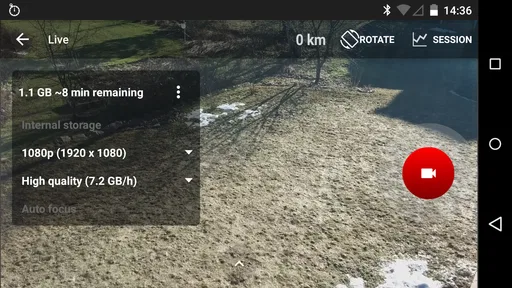
Another cool feature is the video integration. You can overlay your lap data on videos, which is perfect for those of us who love a good visual recap. It’s like having your own highlight reel to show off to friends or review for performance improvements.
Data Analysis Like Never Before
For the data geeks among us, the app doesn’t disappoint. The detailed data analysis is perfect for breaking down every aspect of your performance. You can track speed, acceleration, and even g-forces. It feels like a treasure trove of information waiting to be explored.
RaceChrono Pro supports external GPS receivers, which is a huge plus if you’re looking to crank up the accuracy. This means you can get even more precise data, which is crucial when every millisecond counts.
One App, Multiple Uses
What I love about RaceChrono Pro is its versatility. It’s not just for the hardcore racers out there. It’s equally useful if you’re a casual enthusiast looking to have fun and improve your skills. The app allows for customization, so you can tailor it to fit your specific needs, whether you’re on four wheels or two.
The sharing feature is another big win. You can easily share your sessions with friends or even upload them to social media. This adds a social element to the experience, making it easy to connect with fellow racers and exchange tips and tricks.
Choosing it over simpler tools
Compared with a stopwatch or a basic lap-timing app, this is the more involved choice: you get a session to examine, not just a time to jot down. That difference matters if you revisit the same circuit and want to learn from previous outings. A spreadsheet or handwritten notes can help track best laps, but they cannot give you the same in-phone combination of timing, analysis, and video review described here.
The trade-off is that a simpler tool can be quicker to understand and cheaper to adopt. If all you need is a rough personal benchmark, detailed data may be more work than value. I would choose this app when I expect to return to the track, compare sessions, or make use of video and external GPS support. I would skip it if I only want a one-off lap count or do not plan to review what I record.
It also suits different levels of interest in different ways. A new track enthusiast can begin with lap timing and learn the rest gradually; an experienced driver or rider may appreciate having more information available for comparisons. Neither person needs to inspect every metric. The useful workflow is to keep the goal modest: record cleanly, note the conditions, and use the review to decide what to practice next time.
Who will get the most from it
I would recommend it to people who regularly attend track days, practice in karting, or enjoy reviewing their driving or riding with more than a stopwatch. It is particularly appealing if you already record video and want a more informative replay, or if you are willing to use an external GPS receiver as part of a considered setup. The value comes from returning to your own sessions and learning from them, not simply installing the app and expecting it to make you faster.
On the other hand, a driver who wants turn-by-turn directions, a casual road-trip logger, or someone who does not want to manage session setup should look elsewhere. It is a focused motorsports tool, and that focus is both its strength and its limitation. Before paying, I would ask myself whether I will actually review laps after an event. If the honest answer is no, a simpler option is likely enough.
Wrapping It Up
In conclusion, RaceChrono Pro is a powerhouse of an app that’s perfect for anyone interested in motorsports. From precise lap timing to in-depth data analysis, it’s like having a pit crew in your pocket. It’s user-friendly, packed with features, and offers incredible value for its price.
Whether you’re looking to shave off a few seconds from your lap time or just want to have some fun on the track, RaceChrono Pro is the way to go. Give it a spin and see how it transforms your racing experience. You might just find yourself hooked, just like I did!
My performance verdict
My overall view is that this is a capable, focused option for people who will use its session records as part of a repeatable track-day routine. I would not buy it expecting a phone to replace preparation, driving judgement, or dedicated equipment; the app is most useful when you give it a clear job and check the setup before you need it. The paid entry point makes more sense for frequent users than for occasional curiosity, and the extra purchases are another reason to decide in advance which tools you genuinely need.
For me, its best case is a rider or driver who wants to collect laps, review them calmly, and carry one specific lesson into the next outing. Its weakest case is someone who wants effortless, passive timing with no setup or follow-up. If you fall into the first group, the combination of timing, data, and video-oriented review makes it worth considering. If you fall into the second, a basic timer will probably be the less demanding choice.
Verdict
Strengths of RaceChrono Pro
- Intuitive interface for easy navigation.
- Detailed lap timing and data analysis.
- Supports multiple vehicle types.
- Customizable dashboard and overlays.
- Offline functionality with GPS support.
Limitations of RaceChrono Pro
- Requires GPS for full functionality.
- Limited free version features.
- Initial setup can be complex.
- High battery usage during sessions.
- No direct social media integration.
Similar Picks in This Category
View All
BeSoccer: Soccer Live Score
BeSoccer apps4.3

Cricbuzz - Live Cricket Scores
Cricbuzz.com3.7

NFL
NFL Enterprises LLC2.4

Da Fit
MO YOUNG LIMITED3.6

ESPN
Disney4.5

LiveScore: Live Sports Scores
LiveScore Limited4.5
Frequently Asked Questions
What is RaceChrono Pro and how does it differ from the free version?
RaceChrono Pro is a premium app designed for motorsport enthusiasts to track lap times, analyze performance data, and improve driving skills. Unlike the free version, the Pro edition offers advanced features such as video recording with data overlay, predictive lap timing, and support for external GPS and OBD-II devices, providing a more comprehensive experience.
Can I use RaceChrono Pro without an external GPS device?
Yes, you can use RaceChrono Pro without an external GPS device; however, for the most accurate data, it is recommended to pair the app with an external GPS receiver. The built-in GPS on most smartphones is less accurate, which might lead to less precise lap timing and tracking results.
Is RaceChrono Pro compatible with all types of vehicles?
RaceChrono Pro is versatile and compatible with a wide range of vehicles, including cars, motorcycles, and karts. It is particularly popular among motorsport enthusiasts who participate in track days, autocross, and other racing events, offering tailored features to suit various vehicle types and racing formats.
How does the video recording feature work in RaceChrono Pro?
The video recording feature in RaceChrono Pro allows users to capture their track sessions with data overlay, such as speed, lap times, and G-forces. This can be done using your device’s camera or an external action camera. The overlay provides visual feedback, making it easier to analyze and improve driving performance.
What are the system requirements for installing RaceChrono Pro on Android and iOS?
RaceChrono Pro requires a device running Android 5.0 or later, or iOS 10.0 or later. It is important to ensure your device has sufficient storage space for the app and any data or video recordings. For the best experience, a device with a good processor and ample RAM is recommended to handle the app's advanced features smoothly.
